
Short answer: Open Settings, tap your name, tap Subscriptions, choose the subscription and tap Cancel Subscription. If there is no Cancel button, the subscription is already cancelled or it was bought outside Apple, for example directly from the service or through your carrier.
Cancel a subscription in iPhone Settings
This is the method described on Apple’s official support page:
- Open the Settings app.
- Tap your name at the top.
- Tap Subscriptions.
- Tap the subscription you want to cancel.
- Tap Cancel Subscription. You might need to scroll down to find it.
If there is no Cancel button, or you see an expiration message in red, the subscription is already cancelled. You can usually keep using it until the end of the period you paid for.
Cancel from the App Store
You can reach the same list from the App Store: open it, tap your profile picture in the top-right corner and choose Subscriptions. The remaining steps are the same.
If the subscription isn’t listed
Apple suggests these checks:
- Search your email for "receipt from Apple" or "invoice from Apple" and check which Apple Account the receipt shows.
- If it shows another Apple Account you use, sign in with that account to cancel.
- If it shows a family member’s account, that person has to cancel it; you can’t cancel someone else’s subscription.
- If you can’t find an Apple receipt at all, you may have bought the subscription from another company. Check your card statement to see who billed you and cancel with that company.
- For subscriptions billed by your carrier, contact your carrier.
Cancelling a free trial
To stop a trial from turning into a paid subscription, Apple recommends cancelling at least 24 hours before the trial ends. Some apps end access as soon as you cancel a trial, so noting the end date on day one is the safest approach. See our guide on avoiding free trial charges.
Does deleting the app cancel it?
No. Deleting an app from your iPhone does not stop the subscription; billing continues through your Apple Account. We explain why in does deleting an app cancel a subscription.
Can I get a refund after cancelling?
Cancelling stops future renewals; it does not automatically refund past payments. For an accidental purchase you can request a refund through Apple’s Report a Problem site (reportaproblem.apple.com). Apple decides whether to approve it.
After cancelling: avoid the next surprise
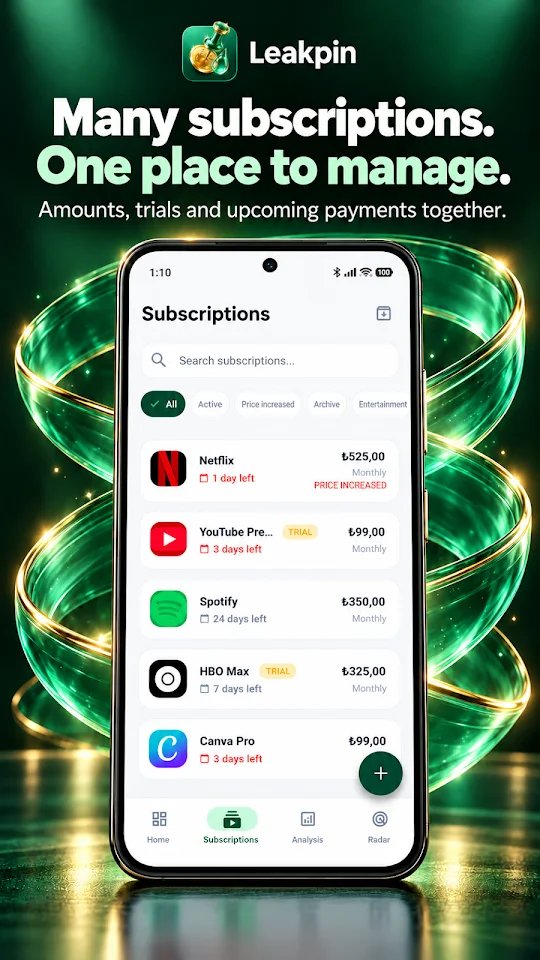
Cancelling is half the job. Knowing in advance when each subscription renews means you never have to decide at the last minute. With the Leakpin subscription tracker app you add your subscriptions yourself and get reminded before renewals. Leakpin can open official cancellation pages for supported services, but it does not cancel anything for you; you always complete the last step with the service.
Frequently asked questions
Will I lose access immediately after cancelling on iPhone?
Usually not. You can typically use the service until the end of the period you paid for. Some free trials, however, end access as soon as you cancel.
Why is there no Cancel Subscription button?
The subscription is most likely already cancelled. If you are still being charged, it may belong to another Apple Account or have been bought outside Apple.
Can I cancel a family member’s subscription?
No. Only the family member can cancel a subscription billed to their own Apple Account.